
Building an open mapping stack


I started working on a little vacation planner app as a side project. It's nothing fancy – just a map with markers on one side and a list of places on the other. I find it helpful for figuring out which places are close enough to visit in a single day and which are too far from the hotel.
When you think of web maps, you probably think of Google Maps. It's the biggest player in the field, no question. Google Maps does offer a free usage tier, but like most free things, there's a catch. You’re required to enter credit card and other personal information, just in case you exceed that free limit.
Even if I never actually hit that limit with my hobby project, it still stresses me out. I worry about things like, "Oh, I refreshed the map a bunch of times... should I slow down?" It’s a silly concern, but it makes the project less fun, and that’s kind of the whole point of a side project.
Open Source to the rescue!
I was able to combine a few services to create a self-hostable map backend that's pretty easy to use.
TLDR: https://github.com/Coding-Kiwi/mapstack
Map Tiles
Map tiles are what you actually see on the map. The simplest option is to use the public OpenStreetMap tile server, as long as you follow their Tile Usage Policy.
But I want to self-host!
openstreetmap-tile-server
Initially, I tried the overv/openstreetmap-tile-server Docker image, which takes a .pbf file, imports it into a PostgreSQL database, and then renders the tiles. For testing, I downloaded Iceland (60MB) from https://download.geofabrik.de and gave it a shot.
Here’s what I noticed:
- You have to run the container twice: once to import the data and again to serve the tiles.
- The import process downloads some extra assets - ice sheet data, water polygons, and more - from OpenStreetMap.
- The import takes a while and failed on me twice before finally working on the third attempt, not sure what I was doing wrong.
- The container uses around 1.4GB of RAM.
- The frontend (I used a simple leaflet.js map) works but the tiles take quite a bit to render if they are not cached yet. This is to be expected because the tiles have to be rendered serverside ad-hoc.
Versatiles
After that, I tried Versatiles, a relatively new project that, as far as I understand, aims to provide a set of specifications. They also offer free vector tiles, based on OpenStreetMap but in a different format (vector tiles) at https://download.versatiles.org. Plus, they provide a Rust tile server for serving the tiles, an example frontend, font glyphs, and more.
The download page "only" offers the entire planet as a 60GB file, but the awesome Versatiles convert tool lets you filter and download just what you need! The setup tool gives you all the ready-to-use commands:
# Download Frontend
wget -cO "frontend-min.br.tar.gz" "https://github.com/versatiles-org/versatiles-frontend/releases/latest/download/frontend-min.br.tar.gz"

# Download Map Data
docker run -it --rm -v $(pwd):/data versatiles/versatiles:latest \
 convert --bbox-border 3 --bbox "-24.54,63.39,-13.5,66.57" "https://download.versatiles.org/osm.versatiles" "osm.versatiles"

# Configure and run Docker container
docker run -d --name versatiles -p 80:8080 -v $(pwd):/data versatiles/versatiles:latest \
  serve --static "frontend-min.br.tar.gz" "osm.versatiles"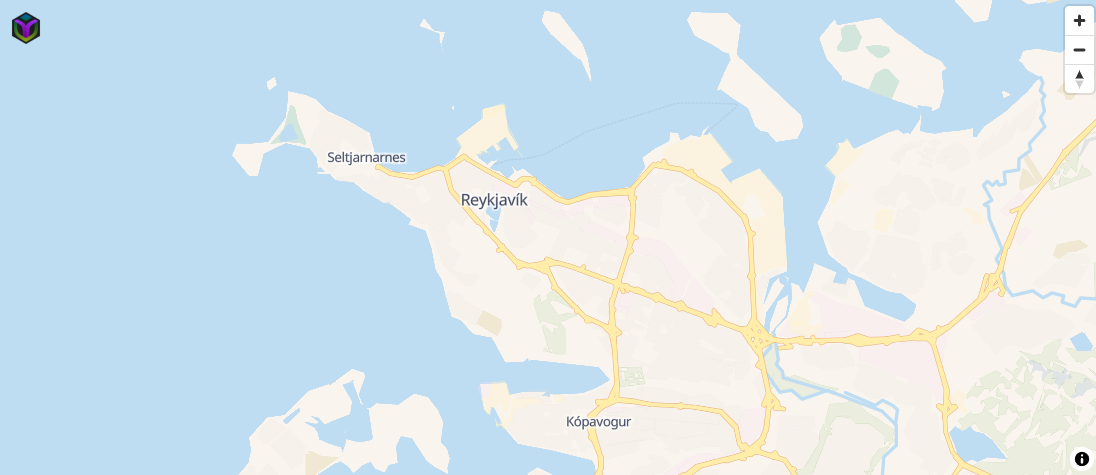
Here’s what I noticed:
- It literally took 30 seconds from using the startup tool to having the map in my browser - including downloading the frontend and Iceland data! 🤯
- The container uses only 46MB of RAM.
- There’s no noticeable loading of individual tiles in the frontend (which is based on MapLibre GL); it's incredibly fast.
I think we have a winner.
A big advantage of Versatiles is that you can serve multiple map sections or combine several sections into a single Versatiles file using the Versatiles Pipeline Language. The openstreetmap-tile-server currently only supports one .pbf file.
That's important because, for smaller projects, it doesn't make sense to host the whole planet. Choosing only the regions you need - like just the places I want to visit for a vacation, as an example for my side project - saves a lot of overhead.
Geocoding and Routing
After a bit of research there is basically just one reasonable choice for both.
Graphhopper
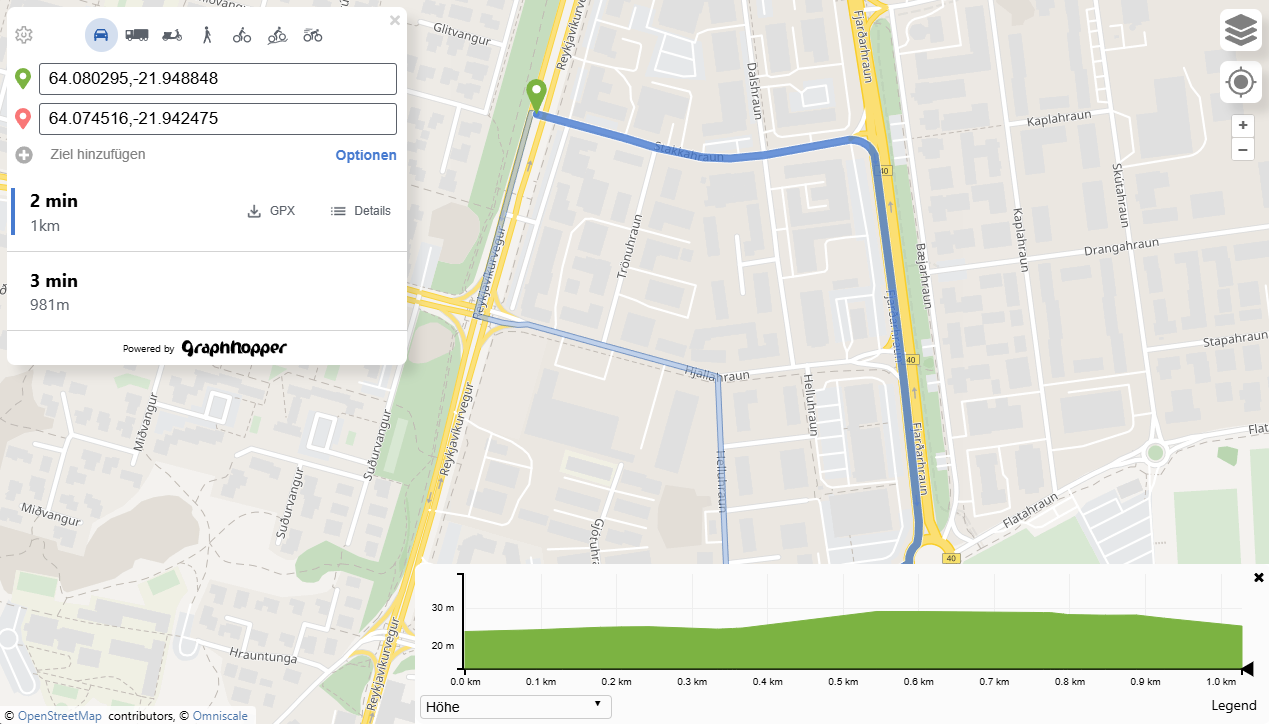
Graphhopper lets you calculate routes, with different methods of travel (car, bike, foot) with elevation dat and many more options which is almost more as what I needed. Check out the public demo https://graphhopper.com/maps
There is a limited free tier for the routing, geocoding and matrix api.
The data is based on OpenStreetmap and works like the openstreetmap-server docker image based on the .pbf files from geofabrik.
For my local test I threw together a Dockerfile
FROM eclipse-temurin:21-jre-alpine

WORKDIR /app

RUN apk add --no-cache wget bash curl \
 && mkdir -p /app/graphhopper \
 && wget -q https://repo1.maven.org/maven2/com/graphhopper/graphhopper-web/11.0/graphhopper-web-11.0.jar -O /app/graphhopper/graphhopper-web.jar

COPY config.yml /app/graphhopper/
COPY run.sh /
RUN chmod +x /*.sh

HEALTHCHECK --interval=10s --timeout=5s --retries=5 CMD curl -fsS http://localhost:8989/health | grep -q '^OK$' || exit 1

ENTRYPOINT ["/run.sh"]
The run.sh script runs the import command if a specific file is missing, and otherwise starts the server.
Photon
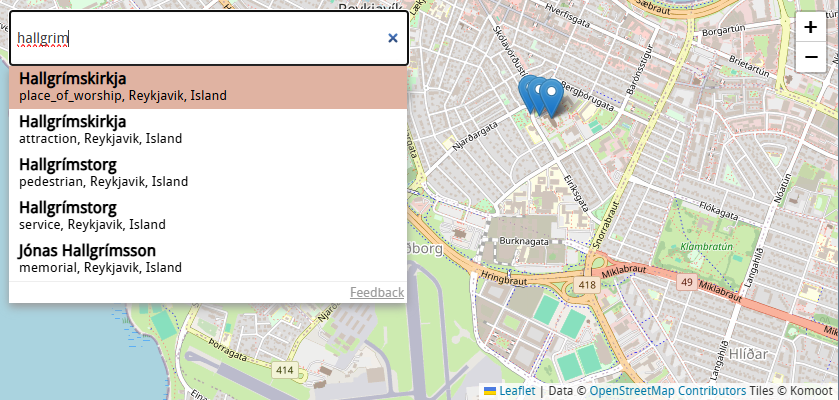
Photon by komoot offers fast, "search as you type" geocoding with an easy to use API. As with openstreetmaps there is a free public server: https://photon.komoot.io
You can use the API for your project, but please be fair - extensive usage will be throttled. We do not guarantee for the availability and usage might be subject of change in the future.
Again, the data is based on OpenStreetMap, but it’s provided as a ready-to-use OpenSearch index by Graphhopper! It's awesome to see these projects working together.
The entire planet is 110GB compressed, but luckily, you can also select extracts for individual countries: https://download1.graphhopper.com/public/experimental/extracts/by-country-code/ (Iceland is 53MB compressed).
For testing the self-hosting part, I threw together a quick Dockerfile.
FROM eclipse-temurin:21-jre-alpine

WORKDIR /photon

# Install bzip2 for parallel extraction
RUN apk add --no-cache bzip2 wget curl

ADD https://github.com/komoot/photon/releases/download/0.7.4/photon-opensearch-0.7.4.jar /photon/photon.jar

COPY run.sh /photon/run.sh
RUN chmod +x /photon/run.sh

VOLUME /photon/photon_data

EXPOSE 2322

HEALTHCHECK --interval=30s --timeout=10s --start-period=240s --retries=3 CMD curl -f http://localhost:2322/status || exit 1

ENTRYPOINT /photon/run.sh
The run.sh just starts the `photon.jar`
Interim summary
Let’s pause and check what we have available and what we still need to figure out.
- We have Docker containers for tiles, geocoding, and routing! ✅
- Each container requires a different data format.
- Tiles:
.versatilesfiles from Versatiles.org, extracts based on bounding box. - Geocoding (Photon): OpenSearch archives from Graphhopper.com, extracts available by country code.
- Routing (Graphhopper):
.pbffiles from Geofabrik.de, extracts available as regions or countries.
- Tiles:
- Graphhopper requires an initial import.
- Versatile downloading with bounding box requires the convert tool
- Graphhopper doesn't allow importing multiple
.pbffiles.- You can merge multiple
.pbffiles using tools like Osmium or Osmosis before importing.
- You can merge multiple
- Photon doesn't allow including multiple indices, and a request for this feature has been denied: https://github.com/komoot/photon/discussions/892.
- The only workable solution would be to import a country index, export it as JSON, repeat for other countries, merge the JSON dumps, and then import them as a single dump.
Orchestration
I want managing the stack to be as simple as possible, so I'd like to have a central management panel to configure the countries (or regions) for downloading files, importing data, restarting services, and so on.
Giving an “admin app” access to the Docker daemon to launch/restart services would certainly make things easier, but that’s not very secure or a good practice, I think.
So my plan is to wrap the services so they can self-manage. My first idea is to have an HTTP API in each container that the admin app uses, or to have a Redis container and have all services connect via pub-sub.
As you might know me I love nodejs so I guess it could look like this:
(just a very very simple example)
import { spawn } from 'node:child_process';
import Redis from 'ioredis';

let javaProcess = spawn('java', ['-jar', 'myservice.jar']);

const redis = new Redis();
redis.subscribe('commands', (err, count) => {});

redis.on('message', (channel, message) => {
  if (message === 'stop') {
    javaProcess.kill();
  } else if (message === 'restart') {
    javaProcess.kill();
    javaProcess = spawn('java', ['-jar', 'myservice.jar']);
  }
});
Downloading the files could be handled centrally by the admin app, including a download progress indicator. Once the download completes, the services would restart by publishing a message to PubSub.
Alternatively, we could publish a message like "hey, we want country XYZ now," and each service would download the data and restart independently. The benefit here is that the services could also function standalone, falling back to environment-based downloads if needed. The only downside I can see right now is the potential for download progress tracking issues and a little more messaging, but I think we can manage that.
Region Selection
Since there are 3 input formats
- bounding box for versatiles "13.091,52.334,13.74,52.676"
- countrycode for photon "is"
- region name for graphhopper "europe/iceland-latest"
We need some kind of normalization to keep things simple. The smallest common unit is a single country because, while we could get a bounding box for a larger region like Europe, there's no corresponding Photon index for Europe.
The Geofabrik server offers a large index JSON file at https://download.geofabrik.de/index-v1.json. It provides an entry for each country, containing:
- A download URL and region name for Graphhopper PBF files.
- An ISO 3166-1 alpha code for Photon.
- Sometimes there are multiple entries, as some countries are combined (like Haiti and the Dominican Republic).
- A bounding multipolygon – a bounding box for Versatiles.
My idea is to fetch this JSON, parse it, and sort it into a list keyed by country code.
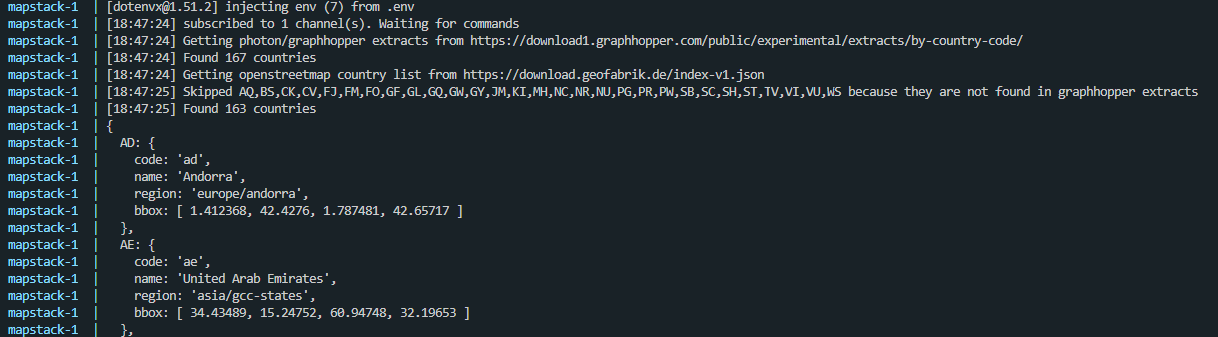
The working prototype looks like this:
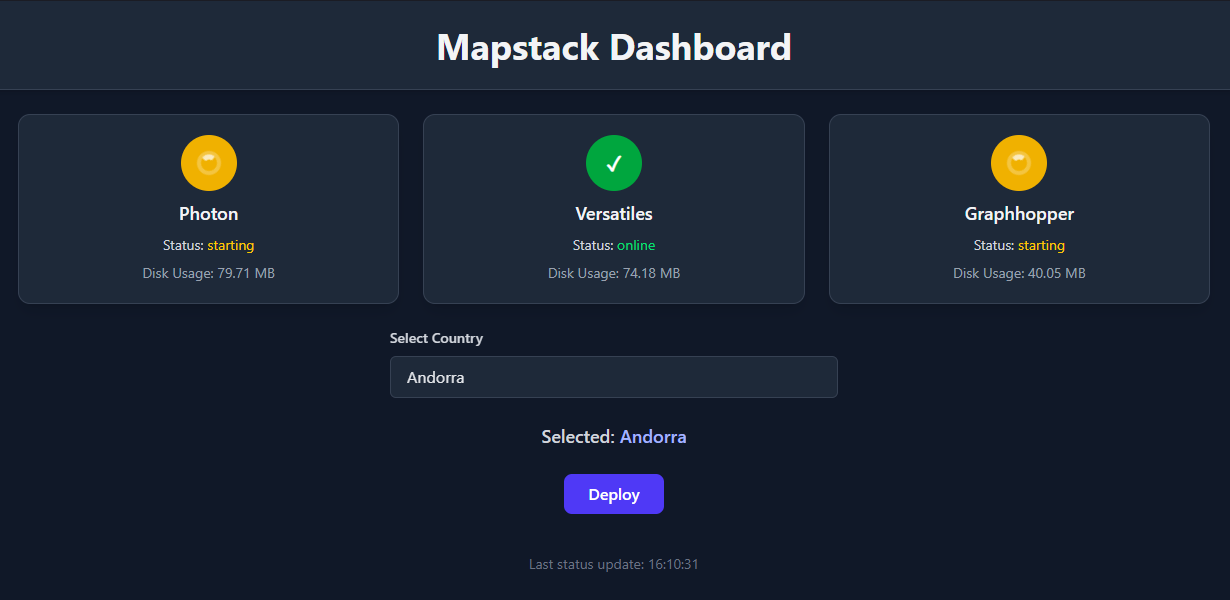
You can select a country. The selected country's code, bounding box, and region are sent to the backend. The backend then pushes three messages to PubSub. Each service downloads the necessary files and reports its status back to Redis, which is polled via the second endpoint.
I decided against showing download progress in the admin dashboard for now, as it would involve setting up websockets for live updates or extensive polling. So, for now, there's just a spinning wheel. ^^
Finishing up
The repository is available at https://github.com/Coding-Kiwi/mapstack
Multiple countries are not implemented yet because It would require another refactoring of basically everything, maybe in the future..
I pushed the images to docker hub, so now running a mapping stack is as simple as this:
services:
  mapstack:
    image: codingkiwi/mapstack:1
    ports:
      - 7777:80
      - 7778:8080

  photon:
    image: codingkiwi/mapstack-photon:1
    volumes:
      - ./var/photon:/app/photon_data

  versatiles:
    image: codingkiwi/mapstack-versatiles:1
    volumes:
      - ./var/versatiles:/app/versatiles_data

  graphhopper:
    image: codingkiwi/mapstack-graphhopper:1
    volumes:
      - ./var/graphhopper:/app/graphhopper_data

  valkey:
    image: valkey/valkey:9
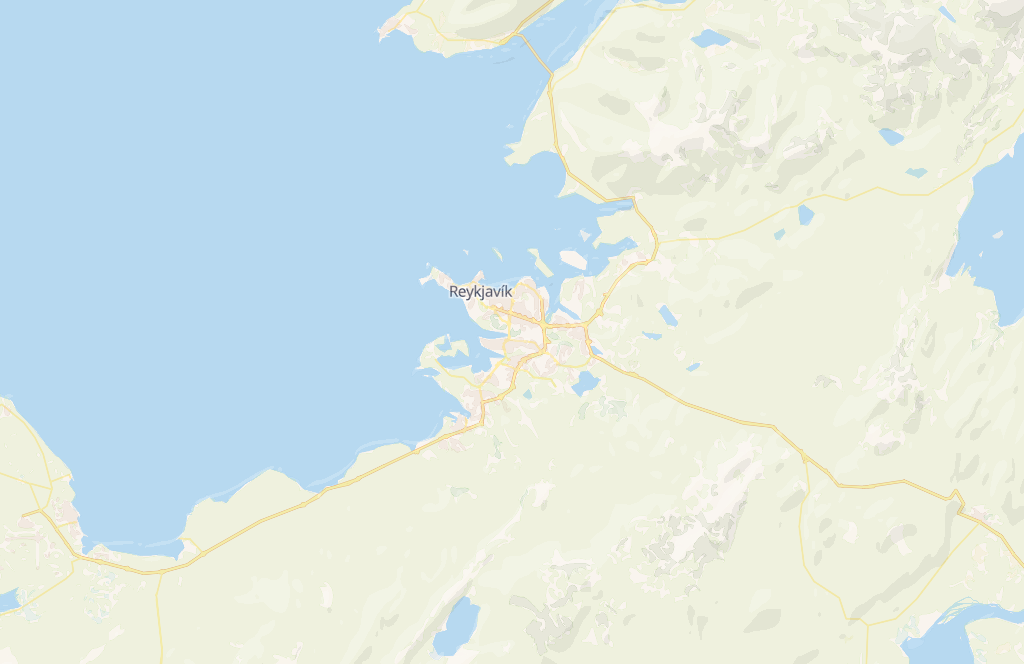
Now all it needs is a maplibre client
import { colorful } from '@versatiles/style';
import maplibre, { NavigationControl } from 'maplibre-gl';

const map = new maplibre.Map({
  style: colorful({
      tiles: [props.tilesUrl],
  })
});

map.on('load', () => {
    map.addSource("landcover", {
        "tiles": [props.landcoverTilesUrl],
        ....
    });

    map.addLayer({
        "id": "landcover-all",
        "type": "fill",
        ...
    });

    map.addSource("versatiles-hillshade", {
        "tiles": [props.hillshadeTilesUrl],
        "...
    });

    map.addLayer({
        "id": "hillshade-light",
        "type": "fill",
        ...
    });

    map.addLayer({
        "id": "hillshade-dark",
        "type": "fill",
        ...
    });
});
I should publish a vue wrapper around this 🤔
Off we go, the side project of the side project!